 Widget Vault
Weather Widget for Mac Desktop: Live Conditions at a Glance
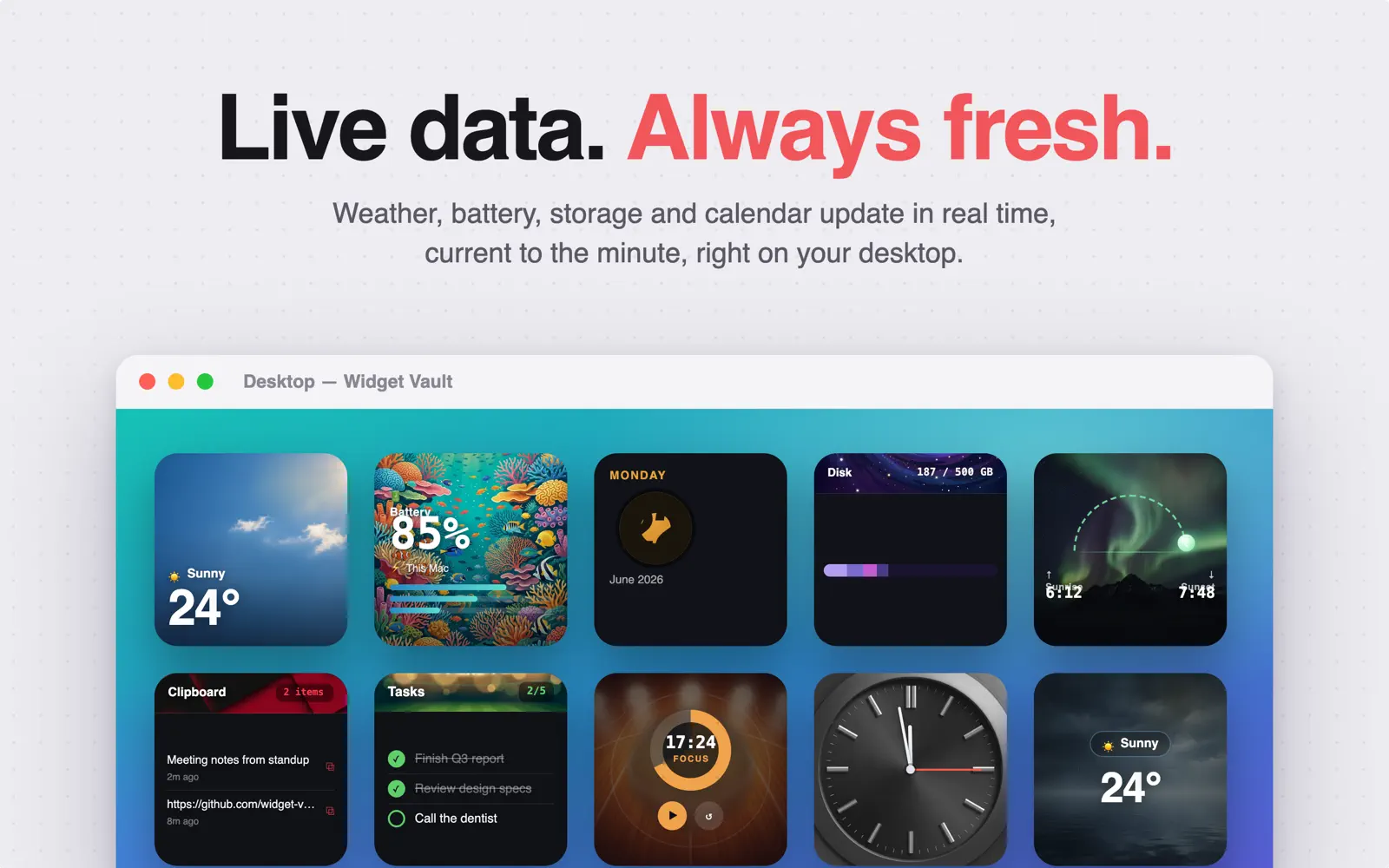
Checking the weather shouldn't mean reaching for your phone or opening a browser tab. A weather widget on your Mac desktop keeps current conditions and temperature in the corner of your eye all day — and Widget Vault's version is powered by Apple WeatherKit, the same data source behind Apple's own Weather app.
What the weather widget shows
- Current conditions — sunny, cloudy, rain, snow — with matching artwork.
- Live temperature for your current location, updating automatically through the day.
- Themed backdrops — from clean photographic skies to aurora and desert art styles, in light and dark variants.
Bonus: the sunrise & sunset widget
Widget Vault also includes a separate Sunrise & Sunset widget that tracks your daily light with three looks: an arc diagram showing where the sun is right now, a timeline, and a minimal style with just the two times. If you plan runs, photography, or just like knowing how much daylight is left, it earns its desktop spot.
How to add live weather to your desktop
- Download Widget Vault from the Mac App Store and open it.
- Pick Weather (or Sunrise & Sunset) in the widget gallery and choose a style.
- Allow location access when asked — weather needs to know where you are. (It's optional; the widget shows a placeholder if you decline.)
- Control-click the desktop → Edit Widgets → drag the weather widget from the Widget Vault section to wherever you want it.
First time adding a widget? Read how to add widgets to your Mac desktop.
Private by design
Weather data comes directly from Apple's WeatherKit — no third-party weather networks, no ad SDKs, no account. Your location is used to fetch conditions and nothing else; Widget Vault stores everything on-device.
Common questions
Does the weather widget need location access?
It works best with it. Grant access once and the widget follows you between home, office and travel. If you deny access, the widget stays in placeholder mode until you enable it in System Settings → Privacy & Security → Location Services.
Why is my weather widget blank?
Usually Location Services. Check the widget's app has location permission, then remove and re-add the widget. Full checklist: Mac widgets not showing? 8 fixes.
Is the weather widget free?
Weather and Sunrise & Sunset are Premium widgets — try them free for 7 days, then $1.99/month, $9.99/year, or $19.99 lifetime. The clock and Pomodoro widgets are free forever.
Weather on your desktop, in one minute
Live WeatherKit conditions, sunrise tracking, and 8 more widgets — with a 7-day free trial.

Free download · macOS 14 Sonoma or later